Cubilux
USB to Toslink & Coaxial SPDIF Adapter
USB to Toslink & Coaxial SPDIF Adapter
HIGHLIGHT
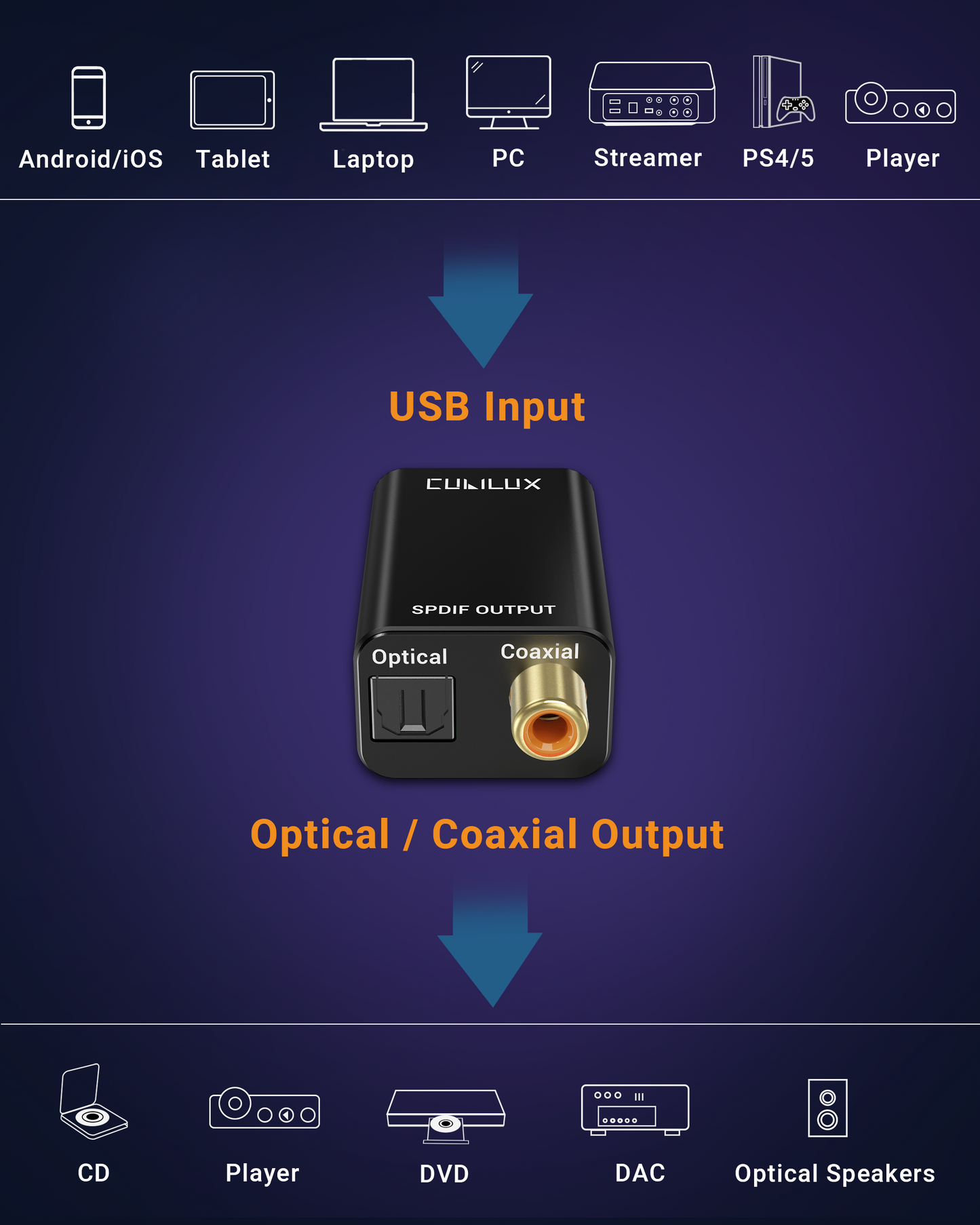
- [Optical & Coaxial Dual Outputs] - This USB digitial audio adapter provides TOSLINK optical and coaxial SPDIF outputs, which can be used separately or together, delivering PCM up to 192kHz/24bit for home theatre and Hi-Fi systems.
- [Supports Stereo & 5.1] - Both the optical and coaxial outputs support 2.0 stereo and 5.1 surround pass-through when used with compatible content and AV receivers, offering immersive audio for movies and gaming.
- [Stable & Clean Signal] - The optical port provides strong resistance to electromagnetic interference, while the coaxial port ensures stable long-distance transmission. A full aluminium-alloy housing further improves shielding and reliability for clean digital audio.
- [Plug & Play] - This USB digital output adapter works without drivers and features a clear LED power indicator, making setup quick and intuitive.
- [Wide Compatibility] - Compatible with laptops, tablets and phones featuring USB Type A or USB Type C ports; Supports PCM up to 192kHz/24bit and 5.1 pass-through. Not compatible with PS5 or TVs; does not support DSD/DoP or analogue output.


-
Why is there no sound output?
Please make sure the Cubilux USB SPDIF adapter is selected as the default audio output device in your computer’s sound settings.
If using PS5/PS4, go to “Sound Settings → Output Device” and select USB Audio Device.
-
Why doesn’t it work with my TV, Xbox, or other devices?
This optical transmitter is designed exclusively for computers and PS5/4.
It cannot extract digital audio from TVs, consoles (except PS5/4), or car USB ports because those ports do not output audio signals.
-
The sound is distorted, cuts off, or missing. What should I do?
This usually means the sampling rates between your computer and receiver do not match.
Please set both devices to the same sample rate (e.g. 48KHz or 96KHz).
You can adjust it under “Sound → Playback Device → Properties → Advanced”.
-
Does it support 5.1 surround sound?
On computers, yes — but you must enable 5.1 output in your sound settings and connect to a compatible receiver.
On PS5/4, the adapter supports stereo only.
-
Why can’t I control the volume on my computer?
On macOS, optical digital outputs bypass system-level volume control.
Please use your DAC, amplifier, or speaker volume knob for volume adjustment.