Cubilux
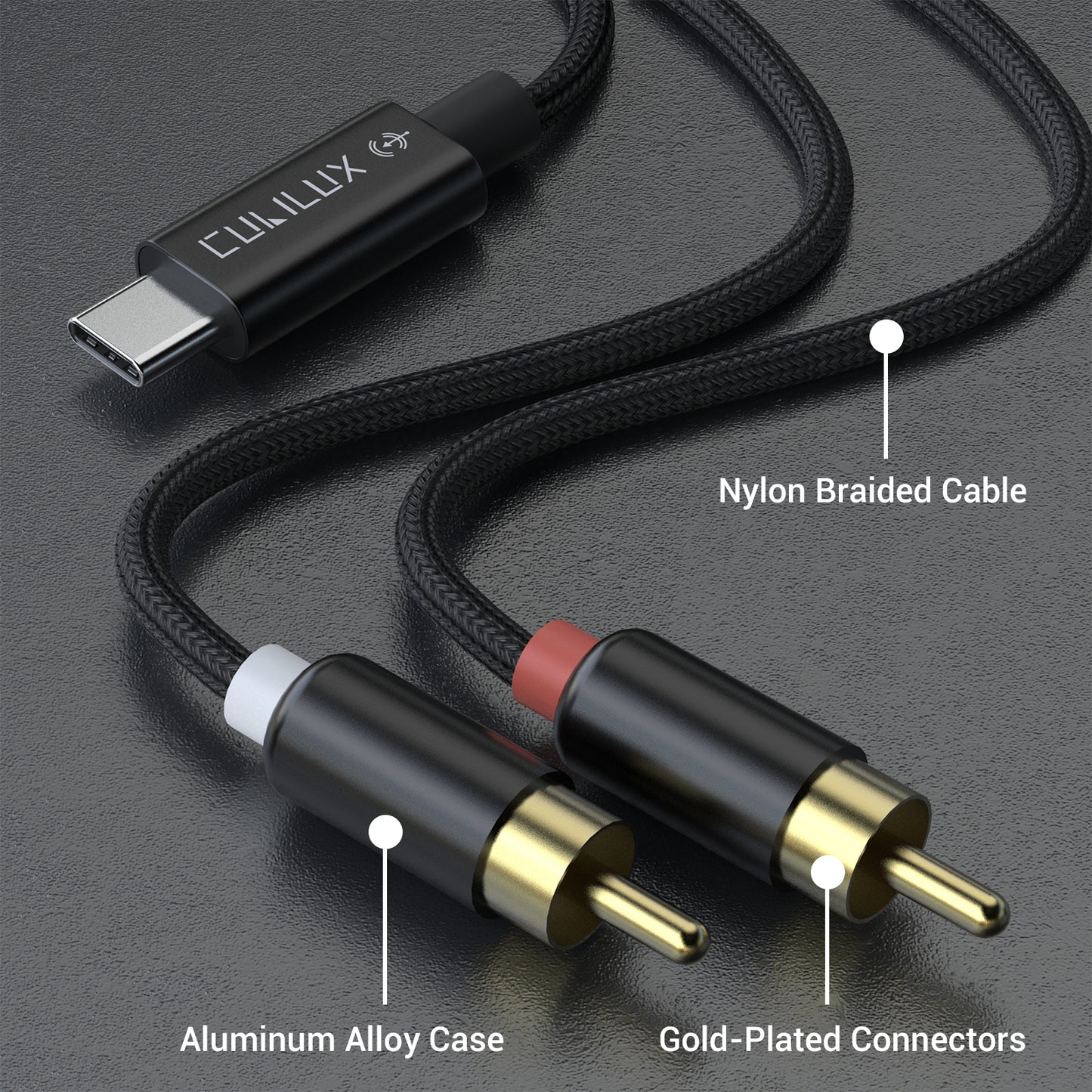
RCA to USB C Audio Capture Cable
HIGHLIGHT
- [RCA Audio Capture Cable] – Record audio from various RCA LINE OUT sources such as mixers, cassette tape players, CD players, or amplifiers directly to your laptop, tablet, or smartphone.
- [Not for Playing Music] – This cable is specifically designed for audio capture purposes and is not intended for playing audio or connecting to speakers, soundbars, etc.
- [Not for TV or Car] – Not compatible with TVs, car radios, or devices with partial-featured USB ports.
- [Made for Superior Sound] – Built-in Hi-Res DAC ensures up to 96 KHz/24-bit crispy lossless sound without static, hissing, or cracking noise, preserving the original audio fidelity.
- [Universal Compatibility] - Support Android, iPad OS, Mac OS, Windows and Linux. Compatible with iPhone 15/15+/15 Pro Max (USB C version), iPad Pro (USB C version), iPad Air 5/4, iPad 10; Galaxy S24/S23/S22/S21/S20, Z Fold 5/4/3/2, Z Flip 5/4/3/2, Tab S9/S8/S7; Pixel 8/7/6 Pro; Moto Razr 40, Edge 40/30/20 and most laptops, computers, tablets and smartphones with USB Type C or Thunderbolt 4/3 ports.
Effortlessly digitize vinyl records and cassettes or capture live mixer sets directly to your smartphone or laptop with this Hi-Res RCA to USB C cable—the ultimate tool for archiving and professional audio capture.


Wide Compatibility
Compatible with laptops, desktops, and PCs with USB Type C or Thunderbolt 4/3 ports, as well as most USB C phones and tablets (the following list is not exhaustive):
- iPhone 17/17 Pro/17 Pro Max・iPhone Air・16/16 Plus/16 Pro/16 Pro Max/16e・15/15 Plus/15 Pro/15 Pro Max
- iPad iPad Pro 13(2025 M5)・iPad Pro 11(2025 M5)・iPad Air 13(2025 M3)・iPad Air 11(2025 M3)・iPad(2025 11th Gen)・iPad Pro 13(2024 M4)・iPad Pro 11 (2024 M4)・iPad Mini (2024 A17 Pro)・iPad Air 13 (2024 M2)・iPad Air 11 (2024M2)・iPad Pro 12.9 (2022 6th Gen )・iPad Pro 11 (2022 4th Gen)・iPad (2022 10th Gen)・iPad Air (2022 5th Gen)・iPad Mini (2021 6th Gen)・iPad Pro 12.9 (2021 5th Gen)・iPad Pro 11 (2021 3rd Gen)・iPad Air (2020 4th Gen)・iPad Pro 12.9 (2020 4th Gen)・iPad Pro 11 (2020 2nd Gen)・iPad Pro 12.9 (2018 3rd Gen)・iPad Pro 11 (2018 1st Gen)
- Samsung Galaxy Phone Z Fold 7・Z Flip 7/Z Flip 7 FE・S25/S25+/S25 Ultra/S25 FE・Z Fold Special・Z Fold 6・Z Flip 6・S24/S24+/S24 Ultra/S24 FE・S23/S23+/S23 Ultra/S23 FE・Z Fold 5・Z Flip 5・Z Fold 4・Z Flip 4・S22/S22+/S22 Ultra・Z Fold 3・Z Flip 3・S21/S21+/S21 Ultra/S21 FE・Z Fold 2・Z Flip・S20/S20+/S20 Ultra/S20 FE/S20 FE 2022・Note 20/Note 20 Ultra
- Samsung Galaxy Tab S11/S11 Ultra・S10+/S10 Ultra/S10 FE/S10 FE+/S10 Lite・Tab S9/S9+/S9 Ultra/S9 FE/S9 FE+・Tab S8/S8+/S8 Ultra・Tab S7/S7+/S7 FE・Tab S6
- Google Pixel 10/10 Pro/10 Pro XL・10 Pro Fold・9/9 Pro/9 Pro XL/9a・9 Pro Fold・8/8 Pro/8a・7/7 Pro/7a・6/6 Pro/6a・5/5a・4/4 XL/4a・3/3 XL/3a/3a XL・2/2 XL
- Motorola Edge 70・Edge 60/60s/60 Neo/60 Fusion/60 Pro・Razr Ultra 2025・Razr 60/60 Ultra・Razr+ 2025/Razr 2025・Razr 50/Razr 50 Ultra・Edge (2025)・Razr+ 2024/Razr 2024・S50・S50 Neo・Edge 50/50 Pro/50 Ultra/50 Neo/50 Fusion・Razr 2024/Razr+ 2024・Razr 50/50 Ultra・Edge (2024)・Moto X50 Ultra・Edge (2023)・Edge 40/40 Pro/40 Neo・Razr 40/40 Ultra・Edge+ (2023)・Moto X40・Edge 30/30 Pro/30 Ultra/30 Neo/30 Fusion
- Nothing Phone (3a)/(3a) Pro/(3a) Lite・(3)・(2a)/(2a) Plus・(2)・(1)
*Note: Actual compatibility may vary depending on the USB C standards supported by each device.
For example, some devices have USB C ports designed only for charging, and many action cameras use proprietary USB C protocols, which are not compatible with standard USB audio accessories.
Specifications
| Input Port | RCA Plug |
| Output Port | USB C Plug |
| Cable Length | 1.5 m/6 FT |
| ADC Sampling Rate | 44.1/48/96 KHz |
| ADC Resolution | 24/16-bit |
| THD+N | <= 0.01% |
| Power Supply | USB C (5V 50mA) |
| Line In Voltage | <= 100mVrms (-20dBV) |
| Maximum Input Level of Line In | 1.6 Vpp |
FAQ
Q: Why am I unable to adjust the volume after plugging in this device?
A: This product is a Line-In device, which means it functions as a passive input and does not directly control your system’s master volume.
Additionally, if you are using Windows 11, please note that the system volume slider may appear grayed out or disabled if no output device (like speakers or headphones) is detected. Windows requires an active output destination to enable volume modulation. Ensure your playback device is properly connected and selected in the sound settings.
Q: Does this product support stereo recording?
A: Yes. The device fully supports dual-channel stereo recording (Left and Right channels), allowing you to capture high-fidelity spatial audio from your source.
Q: Why is the recorded volume so low?
A: This is typically caused by a low input signal level. To resolve this, please try the following:
- Increase the volume on your source device (the device sending audio to the RCA receiver).
- Monitor the levels: If you are using professional equipment or software to monitor the signal, ensure the output does not exceed 1.6vpp (peak-to-peak voltage).
- Avoid Distortion: While you want a strong signal, be careful not to "red-line" or overload the input, as this will cause audio clipping and distortion.
Share