Cubilux
3.5mm Dual Headset Adapter with Volume Control
3.5mm Dual Headset Adapter with Volume Control
HIGHLIGHT
- [Dual Headset Splitter for Audio and MIC] – Connect two headsets to one device for listening and talking at the same time, perfect for calls, meetings, or training.
- [Support 2x TRRS Micophone Input] – Works with two mono TRRS microphones for dual-person interviews, podcasts, or co-hosted recordings. (Not compatible with powered or stereo microphones.)
- [Independent Volume Controls] – Adjust the volume to your preferred level through the dedicated wheels without affecting your partner’s listening experience.
- [Plug & Play] – Widely compatible with phones, tablets, and computers with a 4-pole TRRS combo jack. No driver or external power required.
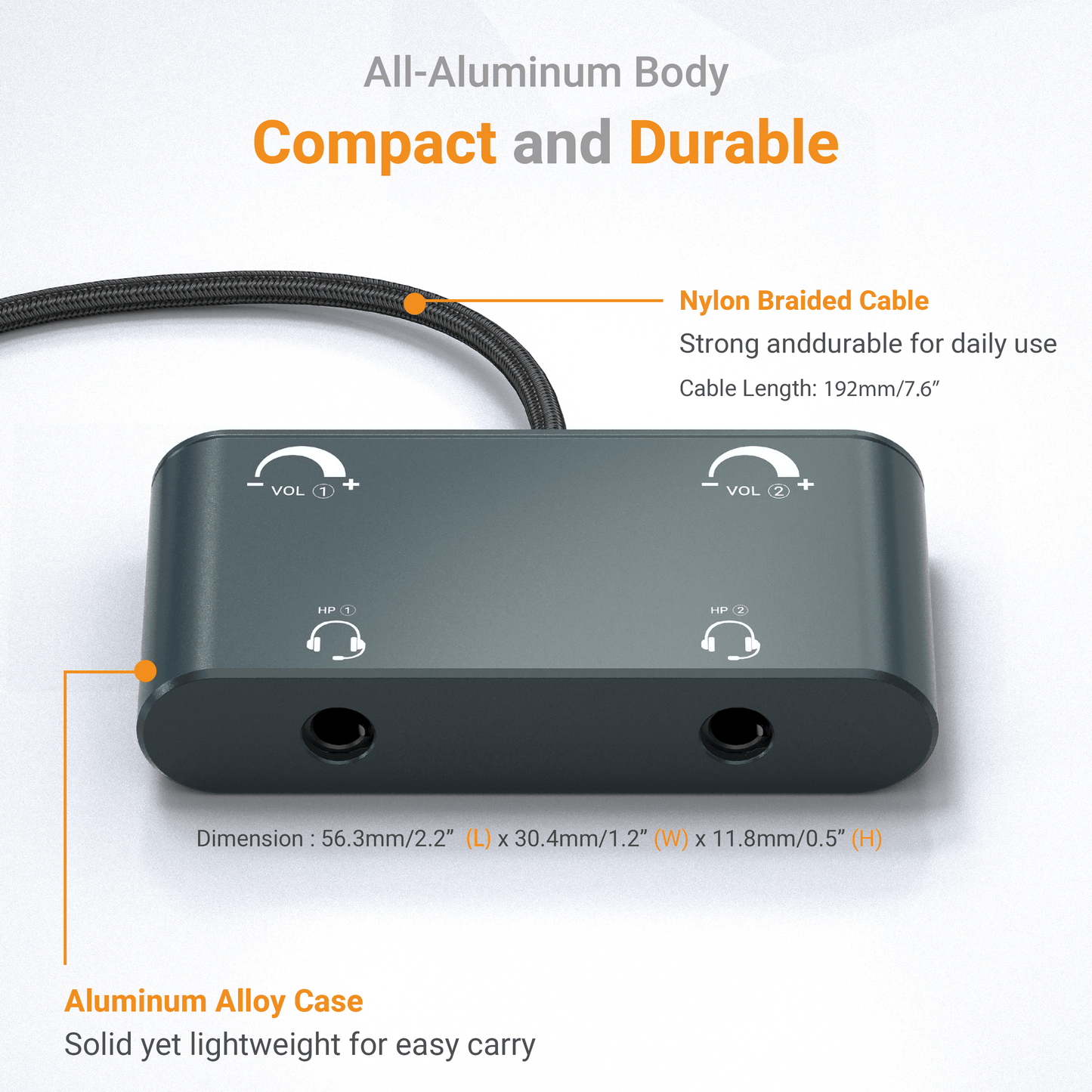
- [Compact & Durable] – Designed for everyday use with a robust aluminum alloy case and nylon braided cable for strength, portability, and long-lasting durability.

Audio + Mic Mode
2 Headsets on 1 Device
Connect 2 headsets to 1 computer for small group meetings, training, or online classes.

Audio Only Mode
1 Audio Source to 2 Headphones
Split 1 audio source into 2 headphones to enjoy music and movies together.

Mic Only Mode
2 MICs on 1 Device
Mix 2 TRRS MIC inputs into 1 device for dual-person interviews, podcasts, or co-hosted recordings.
 Dual TRRS Combo Jack
Rich Applications
This adapter features two 4-pole TRRS ports, allowing flexible connectivity options. You can connect two headsets with microphones, two TRRS microphones, or two earphones at the same time to cover a wide range of scenarios. Perfect for online meetings, dual-person recording, music sharing, and remote training, it helps you collaborate and communicate with ease.
Please note
- This product is not compatible with condenser microphones or any microphones that require external power.
 Individual Volume Control
Tailored Listening Comfort
The independent volume wheels allow you to adjust your headphone volume freely without affecting your partner, ensuring the best and most personalized listening experience.
Please note:
- This adapter does not control the microphone input volume.
- This adapter does not boost the volume.
- This adapter does not directly adjust the device’s master volume. If the sound is still too low at maximum, please increase the output volume on your device.

Q&A
-
What is the compatibility of this adapter?
This adapter works with most phones, tablets, and computers that feature a 4-pole TRRS combo audio jack.
-
Can I use it on a camera?
Probably not. Most cameras use a 3-pole TRS input for microphones, which is not compatible with this adapter.
-
Can I mute the headphone volume?
Yes. Simply turn the volume wheel all the way down to mute the headphone output.
-
Does the adapter support a stereo microphone?
No. The microphone input supports only mono TRRS microphones.
-
My device cannot detect the adapter.
Please plug in a headset (or microphone) and wait a few seconds for the system to recognize the adapter. This adapter features a power-saving design and will remain inactive until a device is connected, helping extend your device’s battery life.